Duplicate File Finder Plus
Quickly Find and Clean Duplicate Files
 for PC
This promotion includes the following:
- Duplicate File Finder Plus - 1 Year Single License (1 PC) ($0)
- Duplicate File Finder Plus Lifetime Single License (1 PC) ($19.99)
- Duplicate File Finder Plus Lifetime Personal License (3 PCs) ($29.99)
- Duplicate File Finder Plus Lifetime Home License (10 PCs) ($49.99)
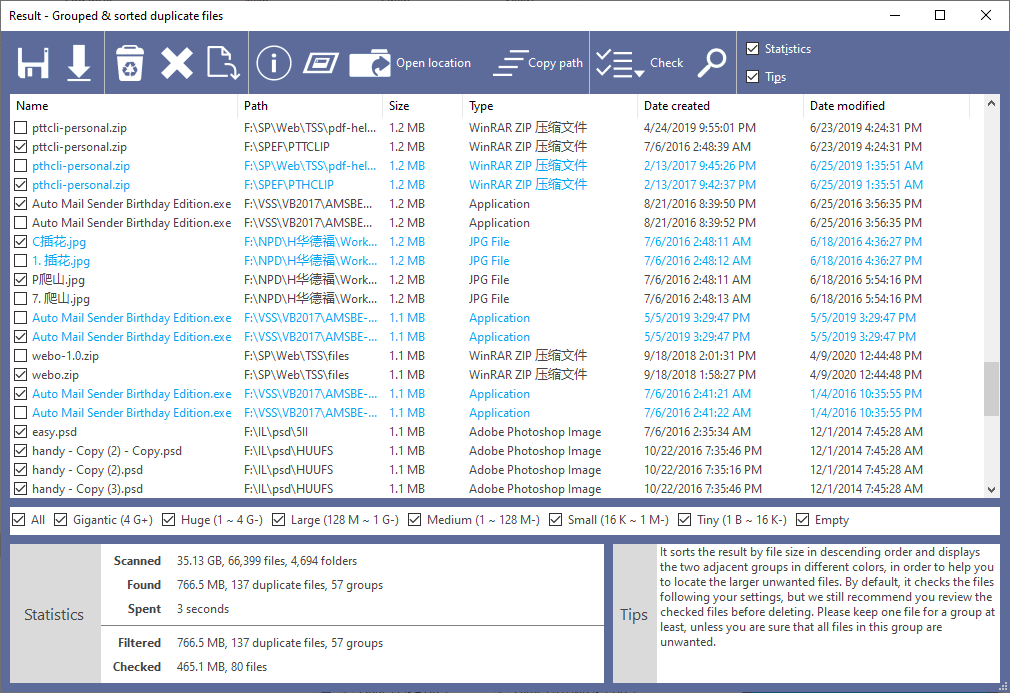
You think you’re about due to get a bigger hard drive, because you’re running low on space. But have you ever stopped to consider that most of your hard drive is being occupied by duplicate files? Get a copy of today’s discount software promotion, Duplicate File Finder Plus, and find out just how much space you can recover!
Duplicate File Finder Plus quickly finds and cleans duplicate files on your drive based on their content, not just their file names. With Duplicate File Finder Plus, you won’t have to rely on the consistently unreliable process of visually identifying duplicates based on name, file size, or date modified. Instead, the power of computers is used by Duplicate File Finder Plus to apply a high-speed file comparison algorithm to detect true duplicate files. And when Duplicate File Finder Plus presents you with the results, you can sort the list of duplicates by file size and start getting massive amounts of space back by starting with the largest files.
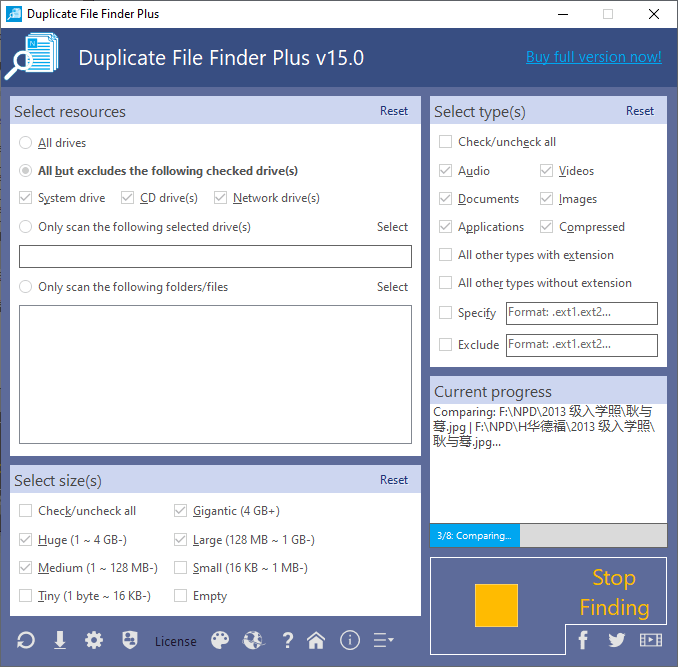
It’s incredibly easy to use Duplicate File Finder Plus, and there’s a good amount of flexibility to be had, as well. Select your drive, specify the size of duplicate files you seek, and even go so far as to limit the scan to specific file types (movies and music files, for example). Which button do you push to start Duplicate File Finder Plus? Why, the only button there is! The one that says “FIND NOW!”. Yes, it’s that easy!
Please notice below the new features added in the latest version:
to leave a comment.
Rate this product and tell others what you think