Silhouette, Outline and Line Art Image Creator
 for PC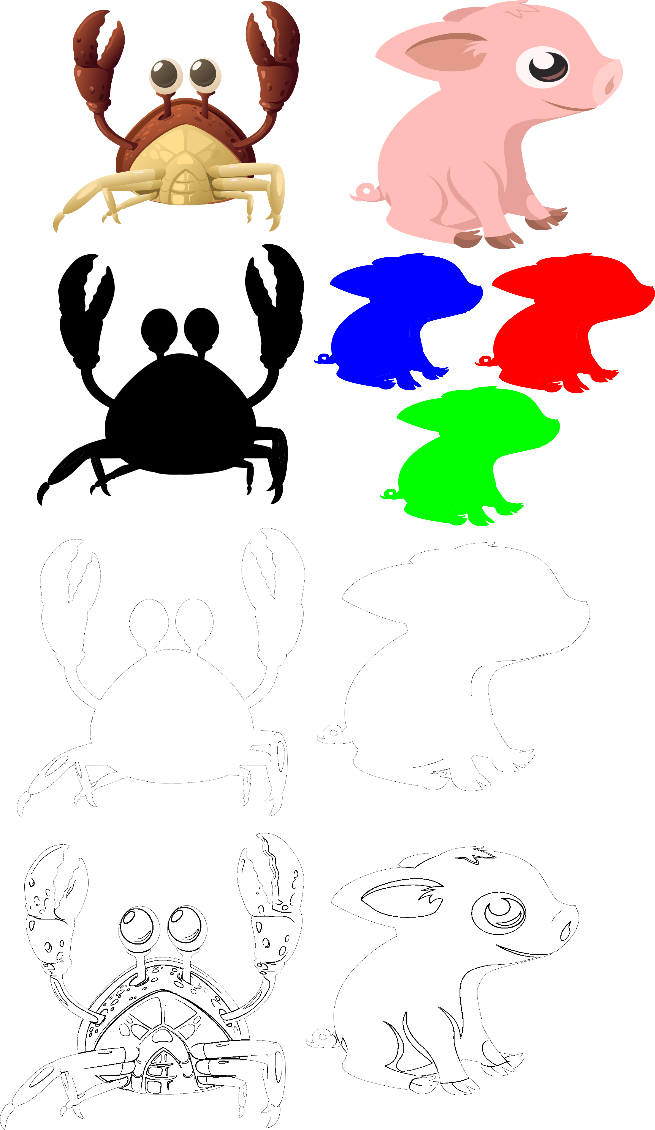
Do you ever look at an ordinary image and wonder what it would look like as a striking silhouette, a clean outline, or a piece of line art? Whether you're creating graphics, preparing images for crafts and projects, experimenting with illustrations, or simply having fun with your pictures, transforming an existing image into something completely different can be surprisingly useful. Today's software promotion gives you an easy way to do just that with Silhouette, Outline and Line Art Image Creator!
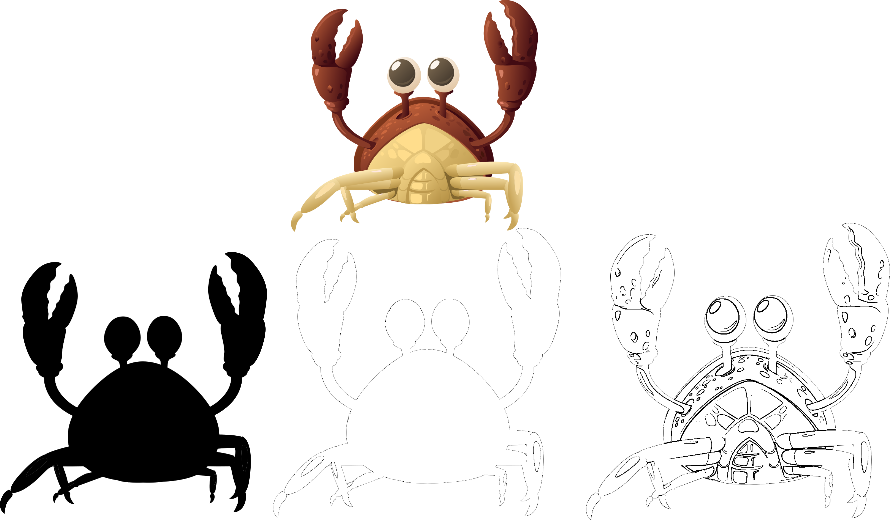
Silhouette, Outline and Line Art Image Creator is a Windows application designed specifically for transforming images into silhouettes, outlines, and line art. With just a few clicks, you can take an image and apply the appropriate effect, while still having plenty of control over how the resulting image looks. You can create traditional black or gray silhouettes, or use your own colors to produce something much more distinctive.
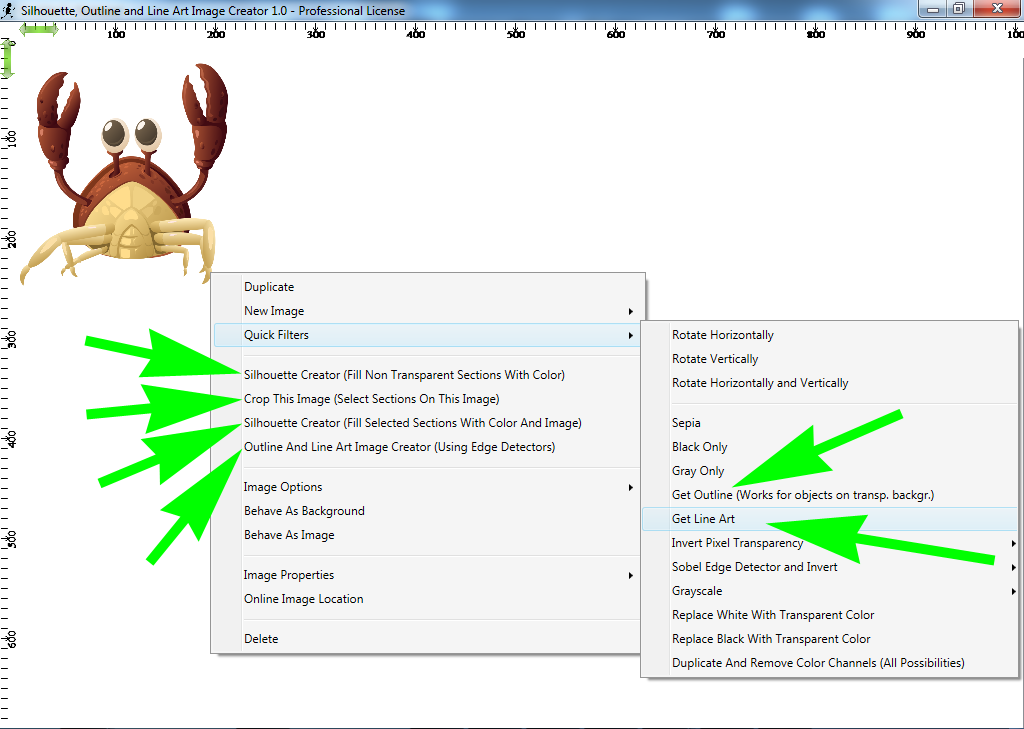
But that's not all this handy image utility can do. You can crop specific portions of an image before transforming them, fill selected areas with a color or even another image, and apply silhouette generation to all of the images currently on your canvas. For creating outlines and line art, you can use the built-in Quick Filters or the dedicated Edge Detectors tools to experiment with different ways of extracting the important lines and edges from your images.
You'll also find a collection of useful image-manipulation tools that make it easy to prepare your pictures before turning them into artwork. Images can be dragged around the canvas, resized, rotated, duplicated, filtered, and combined into a larger composition. You can even generate a new image from everything currently on your canvas, making it possible to build up more elaborate scenes or graphics from multiple source images.
Need a convenient place to keep the images you use frequently? Silhouette, Outline and Line Art Image Creator includes a "My" section where you can organize your preferred images into multiple folders and add them to the canvas simply by clicking on them. The application also comes with 31 public-domain images so you can immediately experiment with its silhouette, outline, and line-art capabilities without having to find your own source material first. When your creation is ready, you can save it in PNG format with transparency preserved, or export it in formats including JPG, BMP, TIFF, EMF, WMF, EXIF, and MEMORYBMP.
So whether you want to turn photographs into bold silhouettes, extract the outlines from illustrations, experiment with colorful graphic effects, or assemble images into a completely new composition, Silhouette, Outline and Line Art Image Creator puts the essential tools right at your fingertips. The application supports Windows Windows 10 and 11 in both 32-bit and 64-bit versions, includes free lifetime upgrades and free email technical support, and is licensed per computer. And with today's discount, it's an inexpensive way to add some creative new possibilities to your image toolbox!
to leave a comment.
Rate this product and tell others what you think