Download this product and get 145 pts
SysTools Gmail Backup
$29.00
Buy Now
19 People Want This Deal
 for PC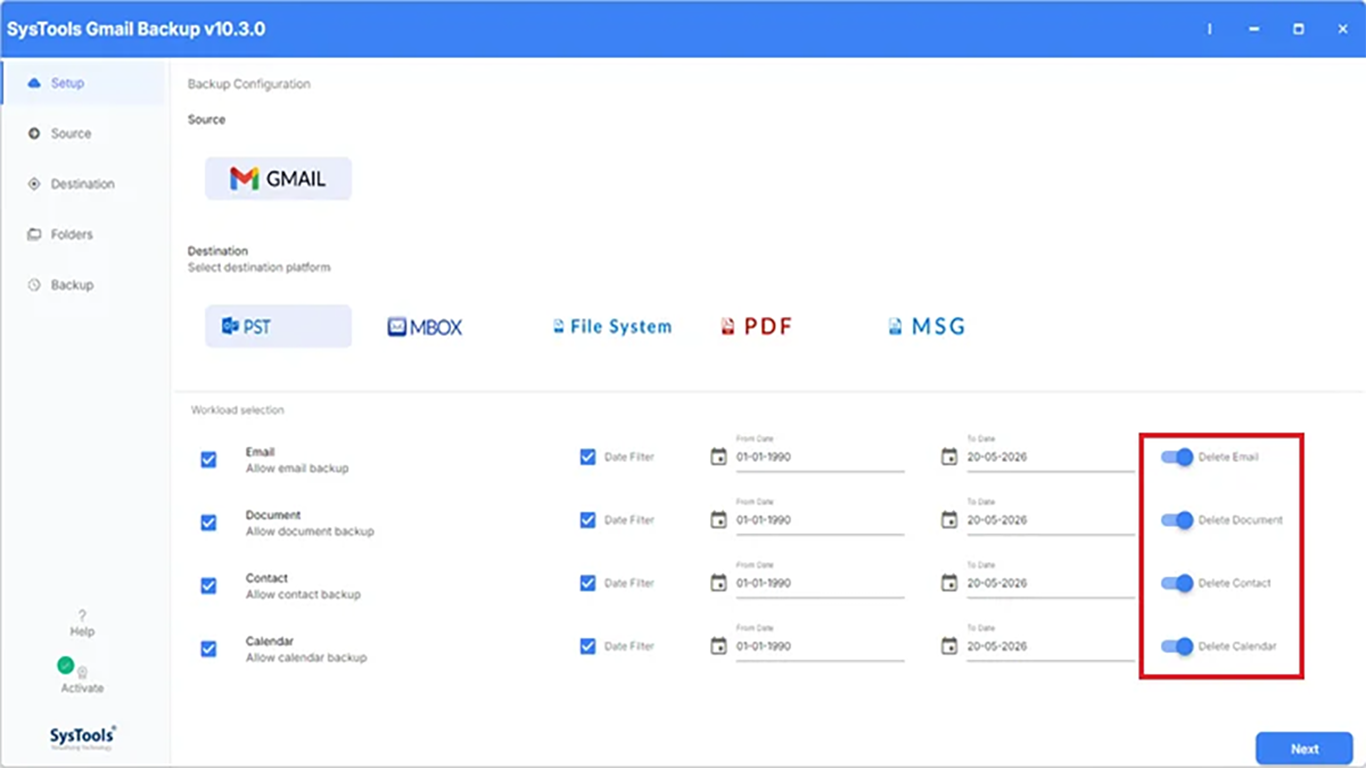
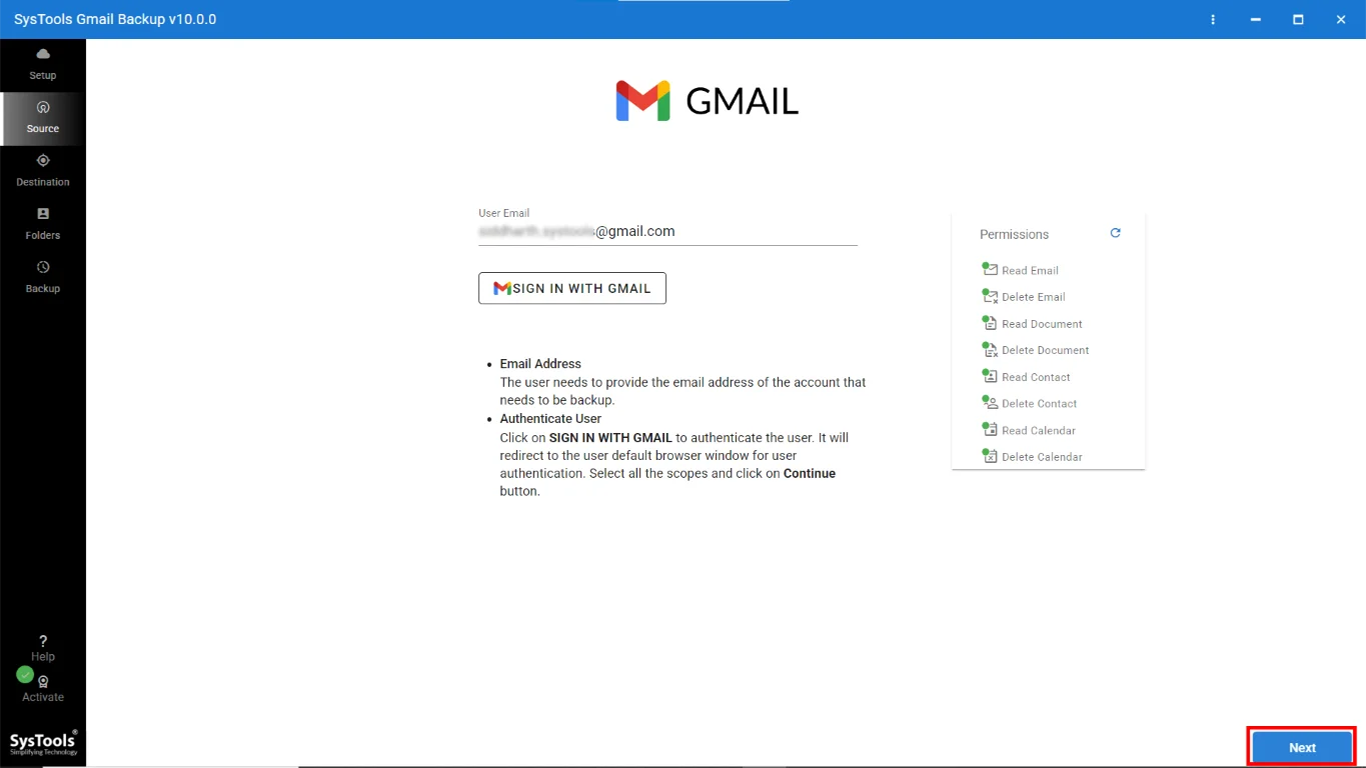
SysTools Gmail Backup Software enables email and other data backup from the personal (free) Gmail accounts. The tool can be availed in 6 different International languages and run of any Windows-run system.
-
Key Features of Gmail Backup
- Complete backup of data from personal Gmail accounts on Windows
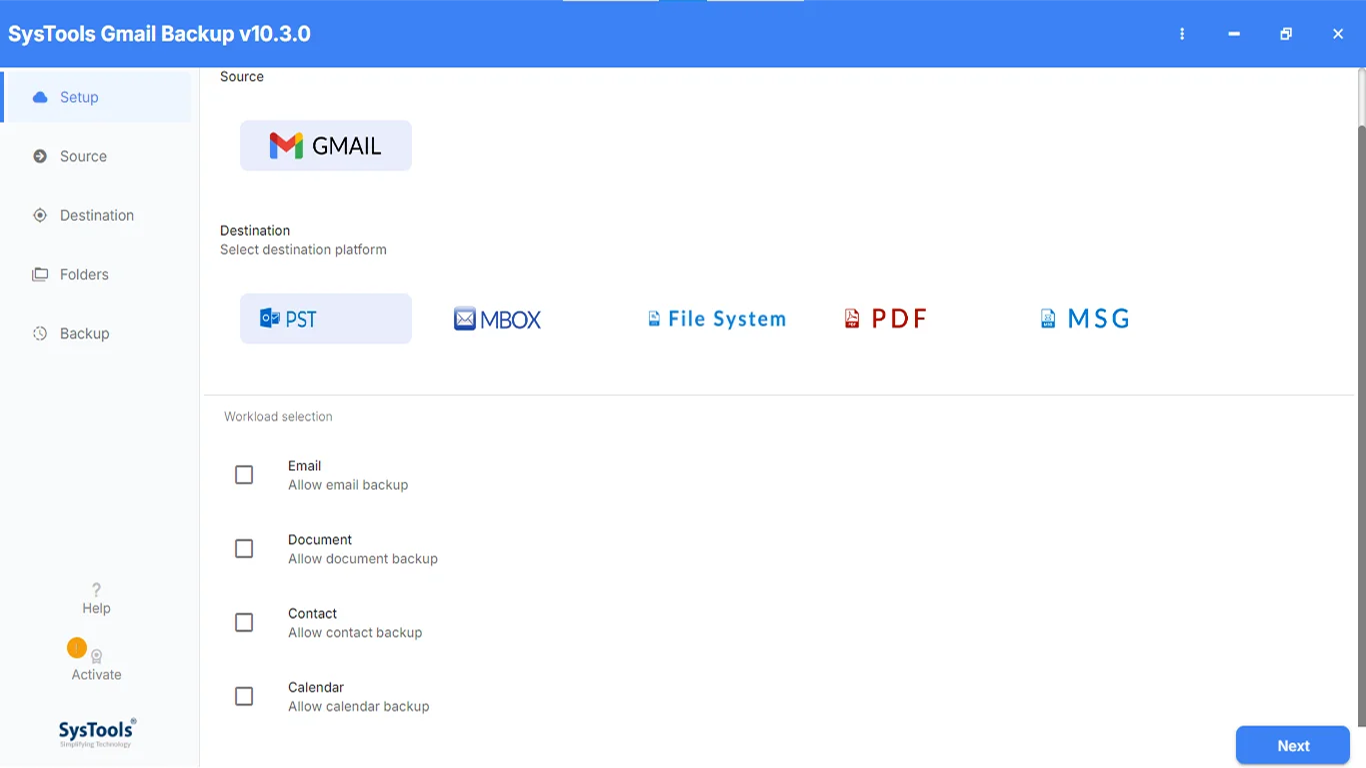
- Backup Gmail emails with attachments in PST/ MSG/ MBOX/ EML files
- Save Google calendar & contacts in ICS and VCF format respectively
- Incremental Backup feature to backup only the new Gmail data
- Backup Docs, Sheets, Slides and other files stored as documents
- Gmail Backup Software available in English and 5 other languages
- Date-based and folder-based filtering option for selective backup
- Option to delete downloaded data after backup from Gmail account
-
Details of the Features
- Complete Gmail Account Backup: If you are a Windows OS users, Gmail Backup Tool is the right application to backup your Google email account. It helps to backup Gmail email, calendar, contacts and other stored documents including G Docs, G Sheets, G Slides, etc.
- Suitable for Personal Gmail: Gmail Backup for Windows supports data backup from any personal Gmail account (@gmail.com.) but it does not support backup from any customized Gmail domain. The tool runs on all Windows OS versions.
- Multiple Backup Options: During the Gmail backup, users can choose from PST, MSG, EML, MBOX formats for saving emails. The tool saves the contacts in vCard format and calendar entries in ICS format.
- Incremental Gmail Backup: This software can be used to take regular backup from the same Google account. In that case, enable Incremental Backup option, so that the software only backs up the new data that have not been backed up earlier.
- Selective Data Backup: If the complete Gmail data backup is not required, users can perform partial/ selective backup. Selective backup can be done by choosing folders or providing a particular date range.
- Delete after Backup: If your free Gmail account is running out of space, Windows Gmail Backup can be used to download data on local system. After the backup, users can delete the saved data from Gmail account by using the utility.
Please use any of the following in case you want to contact the vendor directly:
Email ID: support@systoolsgroup.com
Live Chat: https://www.systoolsgroup.com/live-support/
Toll Free Number: +1 888 900 4529
to leave a comment.
Rate this product and tell others what you think